
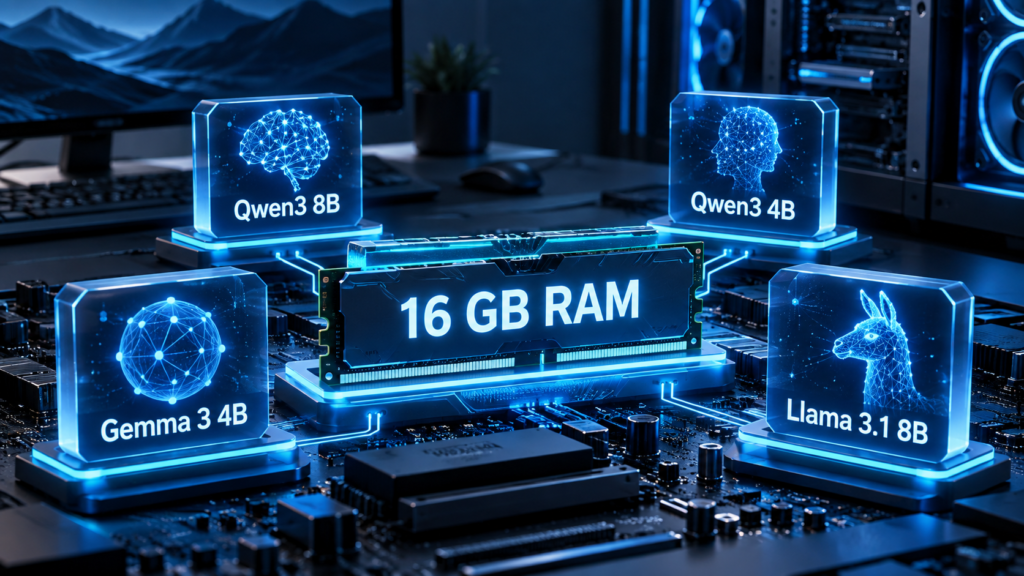
16 GB of RAM is enough to run useful local AI.
But it is also the point where model choice starts to matter.
You usually do not have enough headroom to run every larger model comfortably, especially if the operating system, browser and other applications are using several gigabytes at the same time.
That makes 16 GB systems a good example of an important local AI principle:
The best model is not the largest model you can force into memory. It is the model that gives you the best balance of capability, speed and memory use for your actual task.
For many 16 GB computers, that means focusing primarily on modern 4B–8B quantized models. That is also consistent with the practical range used in the Latu Solutions hardware guidance.
What can 16 GB RAM realistically handle?
A 16 GB system has to share memory between:
- the operating system
- the local AI runtime
- the model itself
- context memory
- your browser
- other applications
So you should not think of 16 GB as 16 GB available to the model.
For normal desktop use, leaving several gigabytes of headroom is important.
That makes approximately 3B–8B quantized models a sensible starting range.
Larger models may still load with aggressive quantization or careful memory management, but that does not automatically make them a better everyday choice.
If you also have a supported GPU with 6–8 GB of VRAM, the experience can improve significantly because part or all of the model can be accelerated on the GPU.
Our practical shortlist
For a typical 16 GB Windows or Linux PC, these are strong model classes to explore first:
| Model | Typical local size | Good for |
|---|---|---|
| Qwen3 8B | ~5.2 GB | General assistant, reasoning, coding |
| Qwen3 4B | ~2.5 GB | Fast everyday assistant |
| Gemma 3 4B | ~3.3 GB | General use + image understanding |
| Llama 3.1 8B | ~4.9 GB | Mature general-purpose local AI |
| Mistral 7B Instruct v0.3 | ~4.4 GB | Fast instruction-following and general tasks |
The sizes above refer to commonly distributed Ollama quantized versions, not the full-precision model weights. Actual memory use while running will be higher than the model file size and depends on context length and runtime settings.
Qwen3 8B — a strong general-purpose starting point
If you want one model to try first on a capable 16 GB computer, Qwen3 8B is a useful class to look at.
The Ollama Q4_K_M package is approximately 5.2 GB. Qwen3 supports both general instruction-following and more demanding reasoning-oriented workflows, and the family includes models ranging from very small dense variants to much larger Mixture-of-Experts designs.
On a 16 GB system, the 8B version sits near the upper end of what we would normally consider a comfortable starting point.
It can be a good fit for:
- general chat
- writing
- summarization
- coding assistance
- reasoning
- structured tasks
The important part is to keep context sizes sensible.
A 5.2 GB model file does not mean the complete runtime only needs 5.2 GB of memory.
Qwen3 4B — when speed matters more
A smaller model is not automatically a worse choice.
The current Ollama Qwen3 4B distributions are approximately 2.5–2.6 GB at Q4-class quantization, depending on the selected 4B variant.
That leaves considerably more memory available for:
- the operating system
- long conversations
- documents
- other applications
- multiple local services
For everyday tasks, this can result in a better experience than pushing an 8B or larger model close to the system limit.
A 4B-class model is especially worth trying for:
- rewriting
- summarization
- classification
- information extraction
- lightweight chat
- simple coding help
If the smaller model solves your real task, there is no technical prize for using a larger one.
Gemma 3 4B — a useful option when you need vision
Gemma 3 4B is particularly interesting because it supports both text and image input.
Google lists the 4B, 12B and 27B versions of Gemma 3 as multimodal models with 128K context windows. The standard Ollama 4B Q4_K_M package is about 3.3 GB.
That makes it an attractive model for a 16 GB machine if you want to work with:
- screenshots
- diagrams
- photos
- scanned material
- normal text prompts
For text-only workflows, the vision capability may not matter.
But if your use case needs image understanding, Gemma 3 4B can provide that without immediately moving into a much larger model class.
Llama 3.1 8B — a mature ecosystem choice
Llama 3.1 8B remains relevant partly because of its large ecosystem.
The current Ollama Q4_K_M version is approximately 4.9 GB and exposes a 128K context capability at the model level.
That does not mean a 16 GB PC should run a 128K context window by default.
Large context consumes additional memory.
For a 16 GB machine, a much smaller practical context is usually the sensible choice.
Llama 3.1 8B is still useful when you value:
- broad runtime support
- many community tools
- mature integrations
- general-purpose text workflows
It is also a useful reference model when comparing newer model families.
Mistral 7B Instruct v0.3 — compact and proven
Mistral 7B Instruct v0.3 remains another practical option in this hardware class.
The current Ollama Q4_K_M build is around 4.4 GB and exposes a 32K context window. Mistral’s official model card describes v0.3 as an updated 7B model with a 32,768-token vocabulary, the v3 tokenizer and function-calling support.
Its main attraction is straightforward: it is relatively compact and widely supported.
For users who want a conventional instruct model without additional multimodal or reasoning complexity, that simplicity can be useful.
What about 12B–14B models?
This is where 16 GB becomes less comfortable.
For example, Ollama currently lists:
- Qwen3 14B at about 9.3 GB
- Gemma 3 12B at about 8.1 GB
Those file sizes may initially look compatible with a 16 GB machine.
But remember that the model file is not the entire memory requirement.
You still need memory for:
- runtime overhead
- context/KV cache
- the operating system
- desktop applications
That means 12B–14B models may be technically possible but much closer to the edge.
We would normally treat them as experiments rather than the default recommendation for a general-purpose 16 GB PC.
If you frequently want models in this size class, moving to 32 GB RAM can make more sense than trying to optimize every last gigabyte.
Does having a GPU change the recommendation?
Yes.
A 16 GB RAM system with no dedicated GPU and a 16 GB RAM system with 8 GB of VRAM are very different local AI machines.
With a supported GPU, model weights can be placed partly or entirely in VRAM.
That can significantly improve response speed.
A practical 16 GB laptop might look like:
16 GB RAM + 6 GB VRAM
That is already enough for useful local AI.
Models around 4B–8B can be realistic targets, although whether the entire model fits on the GPU depends on the exact quantization, context size and runtime overhead.
CPU-only 16 GB systems are still useful
You do not need a dedicated GPU to experiment with local AI.
CPU inference is slower, but smaller quantized models can still be useful for:
- private text processing
- summarization
- writing
- structured extraction
- learning how local AI works
On CPU-only machines, we would usually lean more strongly toward smaller models.
A fast 3B–4B model can provide a much better interactive experience than an 8B model that takes too long to respond.
Use Q4 as a sensible starting point
For many 16 GB systems, Q4-class quantization is a practical place to begin.
It significantly reduces model memory requirements compared with full precision while generally preserving enough quality for normal usage.
Several of the Ollama builds above are distributed as Q4_K_M variants, including Qwen3 8B, Gemma 3 4B, Llama 3.1 8B and Mistral 7B Instruct v0.3.
But do not choose quantization in isolation.
The practical target is:
The highest-quality version that still leaves enough memory headroom for your actual workload.
Context can be the hidden memory problem
A model may load successfully and still run into trouble later.
Why?
Because conversation history and document context also consume memory.
This matters when you:
- paste large documents
- use RAG
- analyze codebases
- maintain long chats
- increase context settings
A 16 GB system needs more discipline here than a 32 GB or 64 GB machine.
Do not automatically set the runtime to the maximum context supported by the model.
Use what the workload actually requires.
Which one should you start with?
A useful decision tree is:
Want a strong all-round text model?
Start with Qwen3 8B.
Want something lighter and faster?
Try Qwen3 4B.
Need image understanding?
Try Gemma 3 4B.
Want a mature, broadly supported ecosystem?
Try Llama 3.1 8B.
Want a compact conventional instruct model?
Try Mistral 7B Instruct v0.3.
These are starting points, not permanent winners.
Model development moves quickly.
The best way to choose is still to test two or three models with the task you actually perform.
Example: 16 GB RAM + RTX 4050 Laptop 6 GB
This is a common type of gaming-laptop configuration.
For this kind of machine, we would not start by trying to load a 20B or 30B model just because CPU/GPU offloading might technically make it possible.
A much more sensible sequence is:
- Try a modern 4B model.
- Try an 8B model at Q4.
- Compare quality and speed using your real task.
- Increase context only when needed.
- Consider larger models only if the 8B class is genuinely insufficient.
This is the same principle used throughout the Latu Solutions Hardware Checker:
Practical usability matters more than theoretical capacity.
When should you upgrade to 32 GB?
16 GB is useful.
But 32 GB gives you much more flexibility.
An upgrade becomes worth considering if you repeatedly encounter:
- system swapping
- out-of-memory errors
- inability to use larger context
- heavy CPU/GPU offloading
- very little headroom for other applications
- a genuine need for 12B–14B-class models
Do not upgrade just because larger models exist.
Upgrade when you can identify a real workload that your current machine cannot handle comfortably.
A simple 16 GB recommendation
For most people starting with local AI on 16 GB RAM:
Start with a 4B–8B Q4 model.
Then test it with your real workload.
That gives you enough room to discover what matters before you spend money on hardware.
The Latu Solutions Local AI Hardware Checker follows the same approach. It asks about RAM, GPU, VRAM, operating system and workload to provide practical model guidance rather than just identifying the largest model that might technically load.
Check what your PC can realistically run → Local AI Hardware Checker
Continue learning
This article continues the Latu Solutions Local AI series:
- Can My PC Run Local AI?
Start with the basic hardware requirements. - How Much RAM and VRAM Do You Need for Local AI in 2026?
Understand memory requirements. - Is Local AI Really Private?
Understand the privacy boundary. - How to Choose the Right Local AI Model for Your PC in 2026
Learn how to evaluate model size, workload and quantization.
And now:
Best Local AI Models for 16 GB RAM in 2026
Turn those principles into actual model choices.
The practical answer
16 GB RAM is not a dead end for local AI.
It is a useful entry point.
You simply need to choose models that match the hardware.
For most users, modern 4B–8B quantized models are where we would start.
Leave memory headroom.
Use realistic context sizes.
Do not chase parameter counts.
And test models using your actual work.
Your AI. Your computer. Your data.